
Cast to Browser
Screen Mirror in Local Network

Cast to Browser lets you mirror your iPhone or iPad screen directly to any web browser on the same Wi‑Fi network. Open a link on your laptop, desktop, TV box, or another phone, and instantly view your screen without installing a receiver app.
If your car’s infotainment system includes a web browser, you can also use it to mirror your screen in the car—ideal for navigation, trip planning, or passenger viewing (availability and performance vary by car system).
Use it for presentations, demos, sharing photos and videos with friends, or showing an app on a bigger screen while staying in control on your device. Designed for local streaming, Cast to Browser keeps things simple: connect, start, and share.
Key features
Mirror your screen to any modern browser (Chrome, Safari, Edge, Firefox)
Works on your local network (Wi‑Fi/LAN) for fast, low-latency streaming
Great for meetings, classrooms, app demos, and home use
No receiver installation required—just open the browser page
Supports Personal Hotspot scenarios (when devices are connected to your hotspot)
How it works
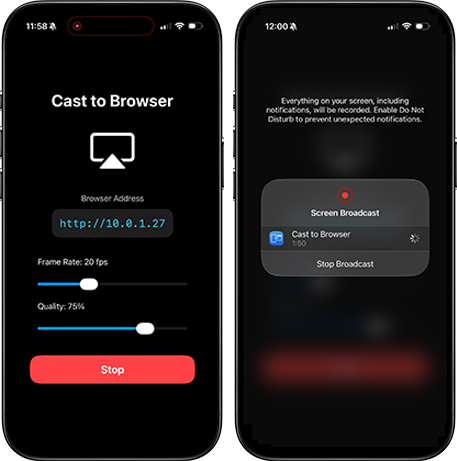
Make sure your devices are on the same network (Wi‑Fi or hotspot)
Start screen mirroring and share instantly
Open the provided URL in a browser on the receiving device
Note: Streaming performance depends on your network quality and device capabilities.

Available on iPhone & iPad.